How to Format an SD Card on a Mac
An SD card is the unsung hero of digital photography. It stores every frame you capture, and a corrupted or improperly formatted card can cost you an entire...
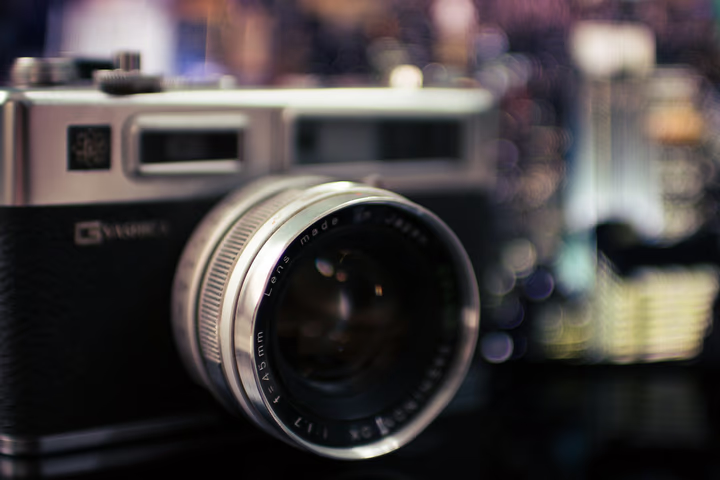
An SD card is the unsung hero of digital photography. It stores every frame you capture, and a corrupted or improperly formatted card can cost you an entire shoot. Formatting your SD card inside your camera is always the best practice, but when you need to format on a Mac, there are three reliable methods to choose from.
Why Formatting Matters
Formatting prepares the card's file system for new data. It's not the same as deleting files — a proper format resets the file structure and reduces the risk of file fragmentation and corruption. Always format a card before a major shoot, especially if it has been used in a different camera or device.
Method 1: Format Using Disk Utility
This is the default macOS tool and works with all SD cards. Insert your card via a built-in slot or USB reader, open Disk Utility from Applications > Utilities, and select your SD card from the sidebar. Click Erase, set the format to exFAT or MS-DOS (FAT32), confirm, and click Erase again. exFAT is recommended for cards larger than 32GB because it supports larger file sizes, while FAT32 is widely compatible with most cameras.
Method 2: Format in Your Camera
This is the safest and most reliable method. Insert the card into your camera, navigate to the "Format" option in your camera's setup or tools menu, and confirm. The camera will create the exact file structure it requires, eliminating compatibility issues that can occur when formatting on a computer.
Method 3: Use SD Card Formatter (Recommended Tool)
The SD Association offers a free, dedicated tool called SD Memory Card Formatter. It is designed specifically for SD, SDHC, and SDXC cards and provides a more thorough format than Disk Utility. Download the macOS version, install it, insert your card, select "Overwrite Format" for a complete reset, and begin. This tool is particularly useful for reviving cards that are showing slow write speeds or file-system errors.
Best Practices for SD Card Care
- Always format in-camera when possible. The camera optimizes the card's file system for its own data writing patterns.
- Format a card after every shoot. This clears the card and resets the file structure. Do this after backing up your images.
- Never remove the card while the camera is writing. This is the most common cause of corruption.
- Eject the card safely on a Mac by dragging it to the Trash or right-clicking and selecting Eject before physically removing the reader.
- Replace cards every 12-18 months if you shoot heavily. SD cards have a finite number of write cycles.
Practical Tips
- Keep a backup card in your bag, formatted and ready to go before every shoot.
- Label your cards to track their age and usage.
- If a card fails mid-shoot, swap immediately and troubleshoot the failed card later — don't risk more images.
Final Thoughts
Formatting an SD card is a simple, two-minute process that protects the most important part of your photography workflow: reliable image storage. Whether you use Disk Utility, your camera's built-in formatter, or the free SD Card Formatter tool, the habit of regular formatting before every shoot saves you from the heartbreak of corrupted files.
FAQ
Should I use Quick Erase or Secure Erase when formatting an SD card? Quick Erase is sufficient for most photography needs. It clears the file table without overwriting the actual data. Secure Erase takes much longer and is only necessary if you plan to sell or dispose of the card.
What file system should I use for my SD card on a Mac? exFAT is ideal for cards 64GB and larger because it supports files over 4GB. For smaller cards, FAT32 is widely compatible. Avoid Mac OS Extended or APFS, as most cameras do not recognize these formats.
Can I recover photos after formatting an SD card? Yes, in most cases. Quick formatting only clears the file index, not the actual image data. Recovery tools like PhotoRec or Disk Drill can often retrieve the files if you stop using the card immediately after formatting.
Continue reading

Want to Know What Your Customers Think? Ask an AI-Generated Focus Group
May 24, 2026
Is AI Antithetical to Luxury? What Prada's Controversial Campaign Reveals About Fashion's Biggest Tension
May 24, 2026
How to Photograph Children
September 25, 2026
How Big Is a 4×6 Photo? Sizes in Inches, Centimeters, and Pixels
May 24, 2026
How to Pose and Photograph Shy, Difficult, or Anxious Pets
September 25, 2026
14 Best Stock Photography Sites
September 25, 2026
'POV Shopping' Videos Are Going Viral — And Luxury Brands Should Be Worried
May 24, 2026
Met Gala Photographer Hunter Abrams' Tips for Peak Creativity
September 27, 2026
6 Chic Sandal Trends That Will Give Your Summer Shoe Collection Some Personality
May 24, 2026
Every Chic Londoner Is Wearing One of These 5 Summer Heatwave Staples This Weekend
May 25, 2026
42 Free Photography Books to Download (PDF + eBooks)
May 24, 2026
Colorful Shoes, Woven Bags, Tankinis: 7 Fun Summer Trends Worth Shopping Right Now
May 25, 2026
Everything to Know About Wedding Photography Styles
September 27, 2026
Why People Are Starting to Hate AI — And What Fashion Brands Need to Understand
May 24, 2026
31 Famous Photographers to Know
September 25, 2026